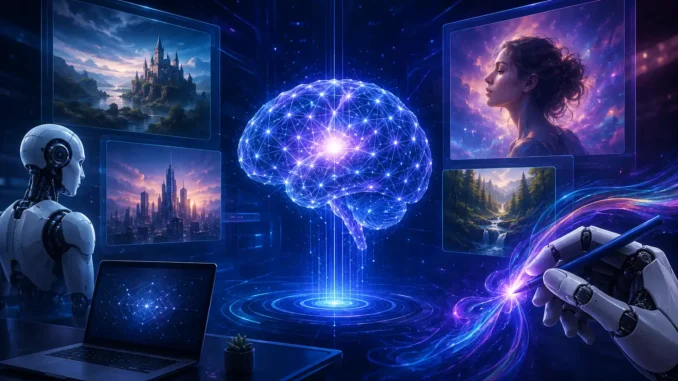
The rapid evolution of generative artificial intelligence has fundamentally altered the digital media creation landscape. Where graphic design previously required specialized software proficiency, technical digital painting skills, or high-end GPU hardware, modern AI image generation platforms allow creators to render complex visual assets using natural language text prompts alone. Among the cloud-based image generation platforms that have gained traction, OpenDream AI has emerged as a versatile, accessible, and high-performance option.
Engineered to bridge the gap between complex open-source generative diffusion models and intuitive consumer web interfaces, OpenDream AI provides users with a comprehensive suite of image synthesis, image-to-image editing, inpainting, and custom style modeling tools. By offering multiple fine-tuned AI checkpoint models—ranging from photorealistic rendering engines to specialized anime and digital artwork models—OpenDream caters to a broad spectrum of creators, including social media marketers, indie game developers, bloggers, concept artists, and enterprise designers.
This technical review delivers an exhaustive exploration of OpenDream AI. We examine its underlying machine learning architecture, deconstruct its core feature set, break down parameter controls and prompt engineering workflows, compare its pricing structure, evaluate its capabilities against major industry competitors, and address the most frequently searched queries surrounding the platform.
Executive Summary: OpenDream AI is a web-based text-to-image platform that leverages advanced diffusion architectures (including Stable Diffusion variants, Dreamlike Photoreal 2.0, and Dreamlike Anime 1.0). It provides fast cloud GPU rendering, upscaling, inpainting, customizable design templates, and full commercial usage rights. The platform operates on a freemium credit model, offering daily free allocations as well as scalable premium tiers for high-volume production.
1. What is OpenDream AI? An Overview
Launched as a dedicated cloud-hosted creative workspace, OpenDream AI is an online text-to-image and visual asset generation suite. At its core, the platform converts natural language text descriptions (prompts) into high-resolution, contextually accurate visual imagery. Unlike desktop-bound open-source web interfaces—such as Automatic1111 or ComfyUI—that require dedicated local hardware with high Video RAM (VRAM) GPUs, OpenDream executes all machine learning inferencing on remote cloud server clusters.
The platform democratizes graphic design by abstracting away command-line setups, python environment installations, and model weight configurations. Users access the platform via standard desktop or mobile web browsers, allowing cross-platform asset creation across Windows, macOS, Linux, iOS, and Android environments without local hardware overhead.
In addition to raw text-to-image generation, OpenDream integrates structured workflow templates, prompt galleries, image-to-image transformations, selectively targeted inpainting brushes, and high-ratio upscaling engines directly within its primary dashboard.
2. Underlying Technology & Generative Architecture
To understand how OpenDream AI synthesizes high-fidelity visual assets, it is essential to examine the underlying machine learning mechanisms that power the system. OpenDream relies primarily on Latent Diffusion Models (LDMs) and transformer-based text encoders to map semantic language inputs into visual representations.
A. Text Conditioning via Transformer Encoders
When a user submits a textual prompt (e.g., “photorealistic portrait of a cybernetic engineer, rim lighting, 8k resolution”), the string is ingested by a text encoder model (such as CLIP or OpenCLIP). The text encoder converts words and phrases into high-dimensional vector embeddings. These embeddings represent the semantic meaning, stylistic attributes, spatial relationships, and lighting specifications defined in the prompt.
B. Iterative Denoising in Latent Space
Rather than generating images directly in high-resolution pixel space—which requires excessive computational overhead—OpenDream operates within a compressed lower-dimensional mathematical space known as latent space. The generation process proceeds as follows:
- Gaussian Noise Initialization: The system creates a latent tensor filled completely with random Gaussian noise, determined by a specific numerical mathematical seed.
- U-Net Denoising Loop: A neural network (the U-Net architecture) inspects the noisy latent tensor alongside the text embeddings. Over a sequence of steps (known as sampling steps or iterations), the network predicts and subtracts noise step-by-step, gradually forming coherent visual features.
- Classifier-Free Guidance (CFG): The system balances adherence to the user prompt versus artistic generation freedom using a guidance scale parameter.
- Variational Autoencoder (VAE) Decoding: Once the final denoising iteration is completed in latent space, a VAE decoder transforms the latent representation back into RGB pixel space, outputting the final downloadable image file.
3. Key AI Checkpoint Models Integrated into OpenDream
A major strength of OpenDream AI is its support for multiple specialized generative AI checkpoint models. Rather than forcing all prompts through a single generalized model, users can select specialized models tailored to specific aesthetic requirements:
1. Dreamlike Photoreal 2.0
Fine-tuned specifically for photographic realism, portraiture, architectural renderings, and product photography. Dreamlike Photoreal 2.0 excels at rendering natural skin textures, complex lighting environments, photographic depth-of-field, and realistic material reflections.
2. Dreamlike Anime 1.0
Tailored for Japanese animation aesthetics, manga illustrations, character designs, and digital cel shading. This model correctly interprets stylized proportions, expressive character features, and vibrant line art without requiring excessive negative prompt tuning.
3. Stable Diffusion 2.1
A general-purpose foundational diffusion model developed by Stability AI. Stable Diffusion 2.1 handles a broad array of artistic styles, including oil paintings, watercolor renderings, abstract art, vector graphics, and 3D digital art concepts.
4. Deliberate
A highly versatile community model engineered for complex, multi-subject compositions and fine artistic details. Deliberate is designed to process detailed prompt instructions precisely, making it effective for fantasy artwork, intricate sci-fi concepts, and detailed character models.
4. Advanced Platform Features & Editing Suite
Beyond simple text-to-image generation, OpenDream AI incorporates an array of post-processing and fine-tuning tools directly inside the dashboard:
- Image-to-Image (Img2Img): Allows users to upload an existing source image as a structural reference alongside a text prompt. The system applies new styles, color schemes, or artistic transformations while preserving the underlying composition and pose of the original file.
- Selective Inpainting & Outpainting: Enables targeted editing of specific image sections. Users can brush over unwanted artifacts, swap out backgrounds, modify character clothing, or change face details without regenerating the entire image.
- Depth-Guided Generation (Depth2Image): Utilizes depth-mapping algorithms to extract structural geometry from input images. This allows creators to re-skin 3D interior renders, architectural layouts, or poses while retaining precise spatial perspectives.
- AI Image Upscaling: Integrated resolution-enhancement tools allow users to upscale generated lower-resolution outputs into clean, high-definition assets suitable for print media, large displays, or professional web layouts.
- Customizable Workflow Templates: Offers pre-configured style and aspect ratio presets tailored to specific media formats, including YouTube thumbnails, Instagram posts, website hero banners, logo concepts, and product mockups.
5. Prompt Engineering & Generation Controls in OpenDream
Achieving consistent, high-quality visual outputs on OpenDream requires a structured approach to prompt structure and generation parameters. Below is a breakdown of key controls and prompt construction methodologies:
Anatomy of an Effective Prompt
To yield predictable outputs, prompts should be structured using logical descriptive building blocks:
🔸 Core Subject & Action: State the main element clearly (e.g., “An astronaut exploring a neon-lit futuristic market”).
🔸 Environment & Composition: Specify framing and camera placement (e.g., “low-angle wide shot, centered composition, volumetric fog”).
🔸 Lighting & Color Palette: Define lighting style (e.g., “golden hour sunlight, harsh shadows, cyan and magenta color contrast”).
🔸 Aesthetic & Medium: Choose the visual medium (e.g., “digital painting, 3D Octane render, 35mm film photograph”).
🔸 Technical Descriptors: Add quality modifiers carefully (e.g., “sharp focus, highly detailed, 8k resolution”).
Essential Generation Parameters
- CFG Scale (Classifier-Free Guidance): Controls how closely the model adheres to the text prompt. Values typically range between 7.0 and 12.0. Lower values allow the AI more creative freedom, while higher values enforce strict prompt compliance.
- Negative Prompts: Text inputs that explicitly instruct the model what to exclude from the final output. Common negative terms include: “deformed, blurry, bad anatomy, extra limbs, low resolution, watermark, cropped”.
- Seed Values: A numerical identifier that locks the initial noise pattern. Keeping a fixed seed allows users to tweak text prompts or parameters while maintaining identical compositions across variations.
- Aspect Ratios: Standard pre-set frames, such as 1:1 (square for profile images), 16:9 (widescreen for banners and video thumbnails), and 9:16 (vertical for stories and mobile wallpapers).
6. OpenDream AI Pricing Structure & Tier Matrix
OpenDream operates on a credit-based freemium pricing structure. Users can test the system on the free tier or subscribe to paid monthly plans for expanded access, faster generation queues, and advanced model availability:
| Subscription Tier | Pricing (USD) | Allocated Credits & Limits | Available Features |
|---|---|---|---|
| Free Plan | $0 / month | 24 daily recurring credits | Access to 2 base models (Dreamlike Photoreal 2.0 & Anime 1.0), single-image rendering queue, full commercial usage rights |
| Core Plan | ~$12 / month | 3,000 monthly credits | Access to all AI models, parallel generations (up to 4 outputs at once), elevated priority rendering speed |
| Pro Plan | ~$24 / month | 12,000 monthly credits | Highest generation speed, priority queue access, parallel generations, advanced upscaling tools, dedicated support |
7. OpenDream AI vs. Competitors (Midjourney, DALL-E 3, Leonardo AI)
To evaluate OpenDream’s market positioning, it helps to compare it directly against other prominent AI image generators:
1. OpenDream AI vs. Midjourney
Midjourney is widely recognized for ultra-detailed artistic aesthetics, but requires users to operate through the Discord chat application or a standalone web portal without a permanent free tier. OpenDream AI provides a dedicated, accessible browser dashboard with a recurring free plan and direct UI controls for model selection and inpainting.
2. OpenDream AI vs. OpenAI DALL-E 3
DALL-E 3 (integrated within ChatGPT) excels at complex prompt comprehension and rendering legible text within images. However, OpenDream offers more direct control over underlying checkpoint models (such as dedicated Anime and Photoreal engines) and parameter configurations like seed selection and CFG adjustment.
3. OpenDream AI vs. Local Stable Diffusion WebUI
A local Stable Diffusion installation offers total open-source control and zero subscription costs, but demands a dedicated Nvidia GPU with high VRAM, complex Python dependency maintenance, and manual model management. OpenDream eliminates hardware barriers by managing compute, models, and UI rendering entirely in the cloud.
8. Frequently Searched Topics & User Trends
Analysis of web search data reveals specific areas of interest among potential OpenDream AI users:
- Commercial Licensing Rights: Users frequently verify whether images created on OpenDream can be commercialized. OpenDream grants full commercial usage rights across both free and paid account tiers.
- Anime and Character Creation: Searches often focus on generating anime avatars and original characters using the Dreamlike Anime 1.0 checkpoint model.
- Logo and Asset Mockups: Small business owners and graphic designers search for OpenDream to prototype brand logos, icon graphics, and product mockups rapidly.
- Free Credit Renewal System: Understanding how daily credit top-ups work without entering credit card details is a common topic among new sign-ups.
Frequently Asked Questions (FAQs)
OpenDream AI offers a free tier that provides users with recurring daily credits. These credits allow users to generate images without entering a payment method. Subscription plans are available for higher output volumes, faster rendering speeds, and access to all AI models.
Yes. OpenDream explicitly grants commercial usage rights for generated artwork. Users are free to use, modify, publish, and sell their generated visual assets for personal or client projects.
Yes. Because OpenDream executes all machine learning operations on remote cloud servers, the platform runs smoothly in standard web browsers on smartphones, tablets, and entry-level laptops without requiring specialized hardware.
OpenDream includes integrated AI upscaling engines. Users can take a lower-resolution generated output and apply an upscaling pass directly in the dashboard to increase pixel density while enhancing fine details for high-resolution printing or web distribution.
9. Final Summary
OpenDream AI stands out as an accessible and versatile platform in the generative AI space. By packaging specialized diffusion checkpoint models (such as Dreamlike Photoreal 2.0 and Dreamlike Anime 1.0), inpainting capabilities, structured templates, and commercial licensing rights into a web-based dashboard, OpenDream removes traditional technical barriers to AI art creation.
Whether utilized by marketers for rapid ad creative generation, content creators for custom thumbnails, or digital artists for rapid concept prototyping, OpenDream AI provides a balanced combination of performance, ease of use, and creative flexibility.


Leave a Reply