
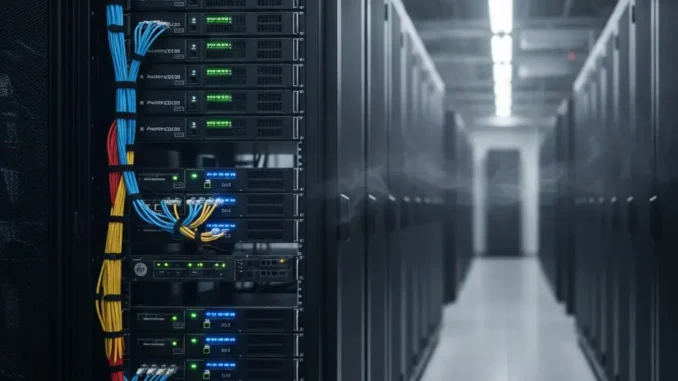
In the modern digital economy, data centers, enterprise server rooms, and network closets serve as the backbone for virtually every business operation. Behind the seamless delivery of cloud applications, website hosting, databases, and enterprise IT infrastructure lies a critical physical component that often gets overlooked: the Server Rack.
A server rack is far more than a simple metal frame or storage cabinet. It is a purpose-built engineering solution designed to securely house, organize, power, cool, and protect mission-critical hardware. Understanding server rack architecture, sizing standards, cooling mechanisms, and cable management is essential for systems administrators, network engineers, and IT leaders tasked with maintaining high availability and scaling infrastructure.
Key Insight: Proper server rack configuration directly impacts uptime, equipment lifespan, and thermal efficiency. Implementing a standardized rack architecture eliminates physical security vulnerabilities, simplifies maintenance, and maximizes data center space utilization.
1. What Is a Server Rack? Definition and Fundamental Architecture
A server rack is a standardized structural framework or enclosure designed to hold multiple hardware modules, including servers, routers, switches, patch panels, power distribution units (PDUs), and storage devices. The design follows universal dimensional standards so equipment from different manufacturers—such as Dell, HPE, Cisco, and APC—can fit seamlessly into a single enclosure.
By stacking hardware vertically rather than spreading it horizontally across floors or tables, server racks optimize physical footprint, streamline cable routing, improve airflow efficiency, and simplify physical maintenance across server rooms and data centers.
Core Structural Components of a Complete Server Enclosure:
- Vertical Mounting Rails: Heavy-gauge steel posts featuring standardized hole patterns (square, tapped, or round) to mount equipment rails and shelves.
- Side Panels & Doors: Removable, lockable side panels and perforated front/rear doors that provide physical security while enabling optimal airflow.
- Cable Management Channels: Vertical and horizontal pathways designed to route Ethernet, fiber optic, and power cables without blocking intake or exhaust vents.
- Rack Power Distribution Units (PDUs): Industrial power strips mounted along the rear vertical rails to deliver reliable electrical power to all installed hardware.
- Grounding & Earthing Systems: Electrical grounding pathways integrated into the rack frame to protect delicate microprocessors against static electricity and voltage surges.
2. Understanding Server Rack Standard Dimensions: The 19-Inch and Rack Unit (U) System
The server rack ecosystem operates on strict industry specifications maintained by organizations like the Electronic Industries Alliance (EIA) and the International Electrotechnical Commission (IEC). The standard width for mounting hardware in a server rack is 19 inches (482.6 mm), measured from one mounting rail to the opposite rail.
Vertical height in a server rack is measured using a standardized unit called a Rack Unit, universally abbreviated as “U” or “RU”.
- 1U Height Standard: One Rack Unit (1U) equals exactly 1.75 inches (44.45 mm) in vertical height.
- Equipment Sizing: Hardware manufacturers build servers and switches in multiples of U—such as 1U, 2U, 3U, or 4U chassis sizes. For example, a 2U rack server takes up 3.5 inches of vertical rail space.
- Standard Full-Height Rack (42U): The most widely deployed rack size in enterprise data centers is a 42U enclosure, standing approximately 6 feet to 6.5 feet tall and providing 73.5 inches of usable vertical mounting space.
| Rack Size (Units) | Height in Inches / cm | Typical Application Environment |
|---|---|---|
| 6U – 12U | 10.5″ – 21″ (26.6cm – 53.3cm) | Small offices, wall-mounted network closets, branch locations. |
| 18U – 24U | 31.5″ – 42″ (80cm – 106.6cm) | Mid-sized office server rooms, AV studios, lab testing setups. |
| 42U – 45U | 73.5″ – 78.75″ (186cm – 200cm) | Standard enterprise data centers, co-location facilities, cloud providers. |
| 48U – 52U | 84″ – 91″ (213cm – 231cm) | High-density hyper-scale facilities maximizing vertical floor space. |
3. Main Types of Server Racks
Choosing the right type of server rack depends heavily on the physical deployment environment, thermal management needs, physical security requirements, and budget constraints. The four primary server rack configurations include:
A. Enclosed Server Cabinets (Closed Racks)
Enclosed cabinets feature removable front and rear doors along with solid side panels. Front and back doors are usually perforated (mesh) to allow front-to-back airflow while maintaining a secure perimeter.
- Best For: Enterprise data centers and shared co-location spaces.
- Key Advantages: High physical security (keylock or biometric entry), controlled airflow management, noise reduction, and protection against dust and physical damage.
B. Open Frame Server Racks (2-Post and 4-Post)
Open frame racks consist of open structural posts without side panels or doors. 2-Post open racks are typically used for lightweight telecom hardware, patch panels, and network switches. 4-Post open racks provide front and rear support necessary for mounting heavy server chassis and SAN storage arrays.
- Best For: Dedicated secure IT rooms, network closets, and development lab environments.
- Key Advantages: Unrestricted natural airflow, lower purchasing costs, and easy 360-degree physical access for technicians during maintenance and cabling.
C. Wall-Mount Server Racks
Wall-mount racks are compact enclosures designed to be securely fastened to a wall stud or solid structure. They keep hardware elevated off the floor in space-constrained locations.
- Best For: Branch offices, retail stores, classrooms, and edge computing sites with limited floor area.
- Key Advantages: Saves valuable floor space, keeps hardware secure in public areas, and offers a cost-effective solution for small-scale deployments.
D. Specialized / Industrial / Quiet Racks
Specialized racks address unique physical constraints. Acoustic soundproof racks use interior insulation to dampen noise in open office environments. NEMA-rated/IP-rated industrial racks protect sensitive electronics against high moisture, industrial dust, and temperature extremes in manufacturing plants or outdoor facilities.
4. Why Server Racks Are Critical for Modern IT Infrastructure
Deploying hardware inside commercial server racks provides clear structural benefits that directly improve infrastructure stability and lower total cost of ownership (TCO):
1. Advanced Thermal Management and Airflow Efficiency
Enterprise servers generate substantial heat. Stacking hardware without deliberate thermal planning creates heat pockets that trigger thermal throttling or premature component failure. Server racks facilitate structured Hot/Cold Aisle designs, pulling cold air through the perforated front doors, circulating it across hot microprocessors, and exhausting hot air through the rear doors.
2. Enhanced Physical Security and Compliance
Data security regulations (such as HIPAA, PCI-DSS, and GDPR) mandate strict physical access controls around sensitive storage devices and network nodes. Lockable server enclosures ensure that unauthorized personnel cannot tamper with hard drives, connect malicious USB drives, or unplug critical network feeds.
3. Optimized Cable Management and Troubleshooting
Without rack management, hundreds of network and power cables turn into disorganized “spaghetti cabling.” Server racks feature integrated vertical cable managers, D-rings, and patch panels that keep cabling organized. Clean cable routing prevents accidental disconnections, speeds up hardware swaps, and avoids blocking exhaust vents.
4. Scalability and Modularity
Standardized U-height spacing allows IT teams to scale infrastructure seamlessly. When business growth demands more compute power, administrators can mount additional 1U/2U servers into open rack slots without needing to re-architect power feeds or room layouts.
5. Best Practices for Server Rack Setup and Organization
Setting up a server rack properly requires careful planning before installing heavy machinery. Below are industry-standard deployment rules followed by data center engineers:
- Distribute Weight Bottom-to-Top: Always mount the heaviest devices—such as Uninterruptible Power Supplies (UPS), battery backups, and dense storage arrays—at the bottom of the rack. This keeps the center of gravity low and prevents tipping risks.
- Use Blanking Panels in Unused Spaces: Empty U spaces disrupt airflow by allowing hot exhaust air to recirculate back into the cold intake area. Installing inexpensive plastic or aluminum blanking panels forces air to pass through active servers, lowering overall cooling costs.
- Implement A/B Redundant Power Feeds: High-availability servers feature dual power supply units (PSUs). Route PSU A to an primary Rack PDU (Grid Power) and PSU B to an secondary Rack PDU (UPS/Generator Backup) on opposite sides of the cabinet.
- Label Every Cable and Port: Use clear color-coded cables (e.g., blue for data, red for management, yellow for cross-connects) and wrap-around labels on both ends of every Ethernet and fiber run to drastically simplify emergency troubleshooting.
Frequently Asked Questions (FAQs)
Server racks are typically deeper (36 to 48 inches) to accommodate long chassis servers, and feature heavy-weight capacities with perforated doors for front-to-back cooling. Network racks are shallower (24 to 30 inches deep) and are designed primarily to house lighter switches, patch panels, and routers where side-to-side airflow or easy cable access is prioritized.
Standard full-size server rack depths range from 36 to 42 inches (about 90 to 106 cm). Modern deep enterprise racks extend up to 48 inches (120 cm) to accommodate high-density GPU computing nodes, cable clearance, and intelligent PDU mounting space.
Yes. Non-rackmountable hardware—such as desktop PCs, small modems, or external hard drives—can be placed inside a rack using vented rack shelves or converted using specialized rackmount desktop conversion chassis kits.
Final Thoughts: Building a Reliable Infrastructure Base
A server rack is a vital architectural component that bridges physical hardware with long-term operational uptime. Investing in the right rack size, enclosure type, and cable management tools creates an organized, scalable, and secure environment that protects critical hardware assets.
By following standardized sizing guidelines, prioritizing thermal management, and adhering to load-balancing best practices, organizations can optimize their data center footprint and ensure seamless infrastructure performance for years to come.





Leave a Reply